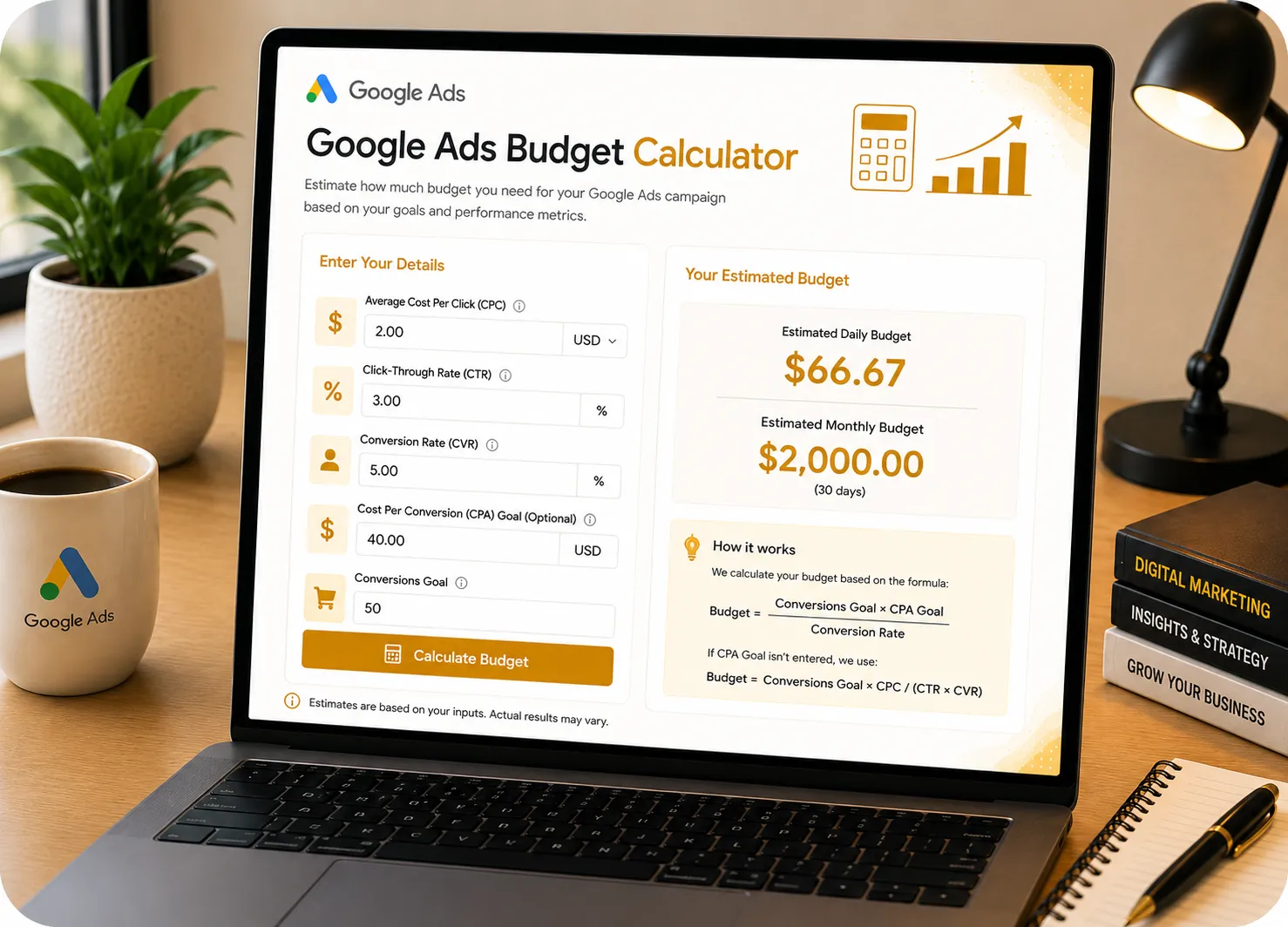
Google Ads Budget Calculator

Determine exactly how much you need to spend on Google Ads to hit your revenue goals. Enter your target sales, expected CPC, and conversion rate below to generate your budget forecast.

Set Campaign Goals

Sales
% CVR
USD
Rev / Sale
Required Monthly Budget

$0.00

Recommended Daily Budget: $0.00
Status: Enter values
  • Total Clicks Needed: 0
  • Estimated Target CPA: $0.00
  • Total Expected Revenue: $0.00

How Budgeting Works

Calculating your Google Ads budget relies on working backward from your goal. By knowing your conversion rate and cost per click, you can determine exactly how many clicks and how much money it takes to acquire a single customer.

The Budget Formula

Budget = (Target Sales ÷ CVR) × CPC

Example Calculation

  • Target Sales: 10 Sales
  • Conv. Rate & CPC: 5% CVR at $2.00 CPC
  • Calculation: (10 ÷ 0.05) × $2.00
$400 Required Budget
This means you need 200 clicks at $2 each to get 10 sales.

Budget Allocation Strategies

Don't just set a random daily budget and hope for the best. Understand the relationship between your spend and your return on ad spend (ROAS).

Budget State Expected Outcome
Underfunded Campaigns run out of budget early, stunting machine learning.
Goal-Aligned Enough clicks generated to sustain consistent daily conversions.
Google Ads Budget Formula Image

How to Use the Budget Calculator

1

Set Target Sales

Input the exact number of leads or sales you want to generate per month from your Google Ads campaigns.

2

Enter CPC & CVR

Input your industry average Cost Per Click and expected website Conversion Rate (if unsure, use 3% as a baseline).

3

Review Forecast

The calculator instantly determines your required daily/monthly spend, target CPA, and estimated ROAS.

Why Our Tool is Better Than Others

ROAS Integration

Unlike basic budget tools, we factor in your Average Order Value to instantly project your Return on Ad Spend and profitability.

100% Private & Free

No email opt-ins, no paywalls, and no data tracking. All forecasting calculations are done instantly and securely in your browser.

1-Click Exporting

Instantly generate and copy a clean, professional text report of your budget requirements to share with clients or leadership.

Frequently Asked Questions (Budget)

1. How much should I spend on Google Ads starting out?
For beginners, a good starting point is around $30 to $50 per day ($900 - $1500/mo). This provides enough daily clicks to gather data and allow Google's machine learning algorithm to optimize without risking too much capital before you find what works.
2. How does Google calculate my daily budget?
Google takes your monthly budget and divides it by 30.4 (the average number of days in a month). Note that on any given day, Google may spend up to twice your daily budget if traffic is high, but they will never exceed your total monthly limit.
3. What happens if my budget is too low?
If your budget is too low relative to your CPC, your ads will only show for a small fraction of the day. Worse, if you can't afford enough clicks to generate at least 15-30 conversions per month, automated bidding strategies (like Target CPA) will fail to optimize properly.
4. What is a good conversion rate for Google Ads?
The average conversion rate across all industries on Google Search is roughly 3% to 5%. E-commerce tends to be slightly lower (1.5% - 3%), while high-intent B2B services or local emergency services can see conversion rates of 10% or higher.
5. Does a higher budget lower my Cost Per Click (CPC)?
Not directly. Increasing your budget simply allows you to buy more clicks throughout the day. However, a larger budget allows you to test more keywords and ad copy, which can eventually lead to higher Quality Scores, which *does* lower your CPC.
6. What is Target CPA and how does it relate to budget?
Target CPA (Cost Per Acquisition) is the average amount you want to pay for a conversion. Your daily budget should be set at least 3 to 5 times higher than your Target CPA. If your CPA is $50, your daily budget should be at least $150-$250 for optimal performance.
7. How often should I adjust my campaign budgets?
Avoid changing budgets by more than 20% at a time. Drastic budget changes will force Google's algorithm back into the "learning phase," temporarily halting your campaign's performance. Make small, incremental adjustments every 1-2 weeks.
8. What is considered a good ROAS?
Return on Ad Spend (ROAS) targets vary by margin. If your profit margin is 50%, a 200% ROAS means you break even. Generally, e-commerce stores aim for a 300% to 500% ROAS, meaning they generate $3 to $5 in revenue for every $1 spent on ads.
9. Should I include agency fees in my media budget?
No. Always separate your "media spend" (the money paid directly to Google for clicks) from your "management fees" (the money paid to an agency or freelancer). Combining them will skew your actual ROAS and CPA calculations in the ad platform.
10. How does Quality Score affect my budget requirements?
Quality Score (1-10) is Google's rating of your ad relevance and landing page experience. A high Quality Score allows you to pay significantly less per click than competitors. This means you can generate the exact same number of sales on a much lower budget.

Client Success Stories & Reviews

★★★★★

"As a media buyer, I use this budget forecasting tool for every new client pitch. It perfectly visualizes exactly how much spend is required to hit their crazy revenue goals."

JD
John Davis Senior Media Buyer
★★★★★

"This stopped me from completely underfunding my campaigns. I realized my $10/day budget wasn't even going to buy 5 clicks in my industry. Lifesaver."

RK
Robert Klein B2B Business Owner
★★★★★

"Simple, fast, and mathematically flawless. It instantly tells me what my target CPA is going to be based on the conversion rate and CPC. I have it bookmarked."

LP
Laura Palmer Marketing Manager
★★★★★

"The ROAS integration is what makes this better than Google's own tools. Being able to plug in AOV and instantly see profitability forecasts is amazing."

SJ
Sarah Jenkins E-com Founder
★★★★★

"I love the clean design and the currency dropdowns. It makes generating budget proposals for our international clients so much faster. The copy report feature is brilliant."

MT
Mark Torres Agency Owner
★★★★★

"The best Ads Budget calculator online right now. It takes the guesswork out of campaign planning and aligns your media spend directly with actual revenue targets."

ER
Emily Roberts Head of Growth

Need a Specific Tool? Or Found a Bug?

Our dev team is actively updating this page with useful new calculators. If you have an idea for a business tool or want to report a calculation error, please let us know.

Submit Request / Report Bug