
Google Ads Calculator
Forecast your campaign performance and profitability. Enter your budget, expected cost-per-click, and conversion metrics below to instantly project your clicks, total conversions, CPA, and return on ad spend (ROAS).
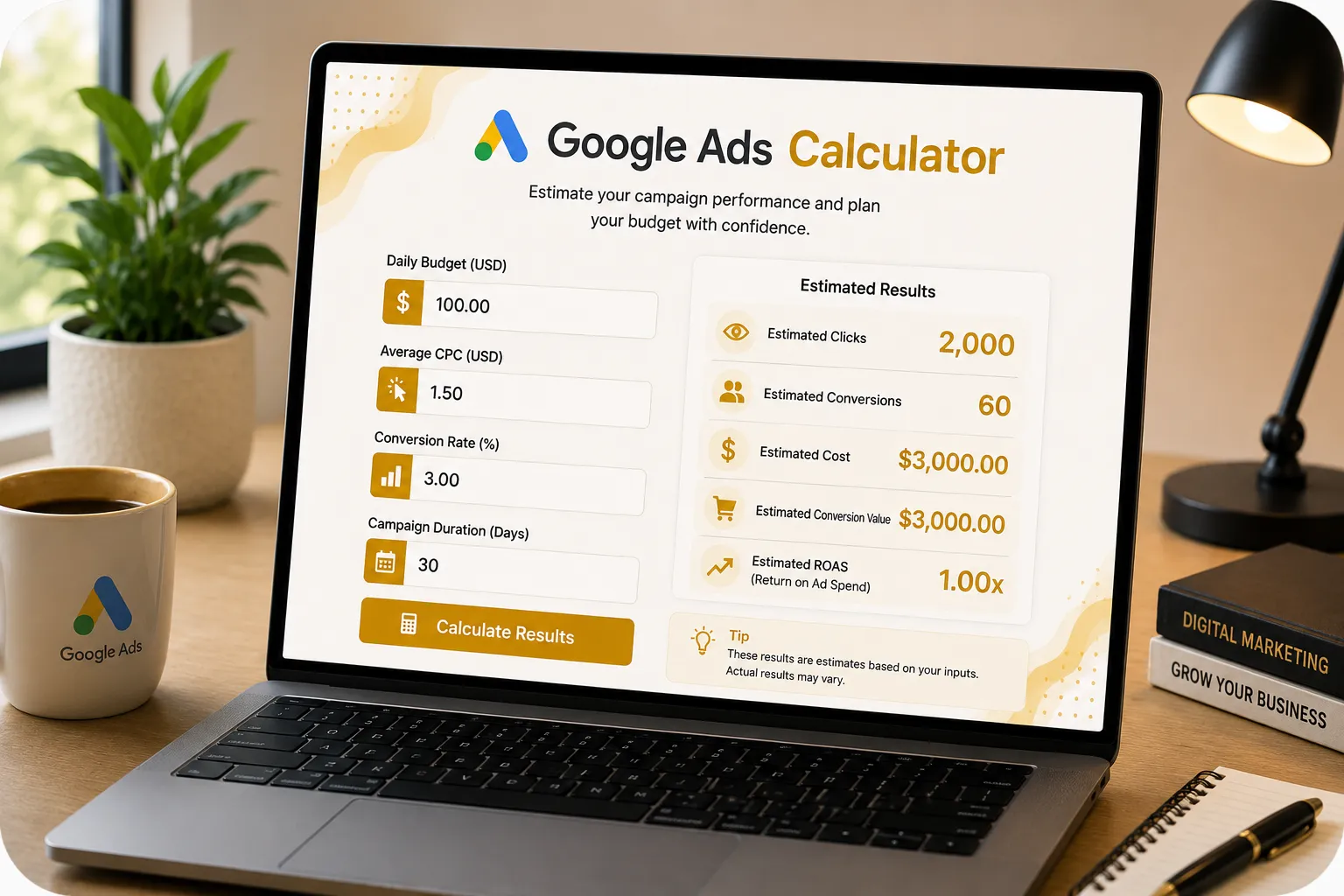
60
- Total Ad Spend: $3,000
- Total Clicks Generated: 2,000
How Google Ads Projections Work
Projecting your Google Ads performance requires working backwards from your budget. By estimating your Cost Per Click (CPC) and Conversion Rate over a specific duration, you can accurately forecast your total conversions and Cost Per Acquisition (CPA).
The Primary Formulas
Conversions = (Total Spend ÷ CPC) × Conversion Rate
Example Projection
- Budget: $100/day | Duration: 30 Days
- Avg CPC: $1.50 | Conversion Rate: 3%
Google Ads Optimization Tips
If your projected CPA is too high to be profitable, you must either lower your CPC (via better Quality Scores and bidding) or increase your Conversion Rate (via better landing pages and targeting).
| Avg. Search CVR | Industry Expectation |
|---|---|
| Under 2% | Below Average (Needs optimization) |
| 2% to 4% | Average (E-commerce / High-Ticket) |
| 4% to 8% | Good (Strong targeting & offers) |
| Above 8% | Excellent (Usually local/branded search) |
How to Use the Google Ads Calculator
Set Budget & CPC
Input your total ad budget and the average Cost Per Click you expect to pay based on keyword research.
Estimate Conversions
Enter your website's expected conversion rate to determine how many of those clicks will actually convert.
Analyze Profitability
Input your average sale value to instantly calculate your total projected ROAS and see if the campaign is viable.
Mastering Your Google Ads Projections
Running a profitable Google Ads campaign requires more than just picking good keywords; it requires strict mathematical forecasting. Before you spend a single dollar, you need to understand the relationship between your Cost Per Click (CPC), your Conversion Rate, and your Average Order Value (AOV). A Google Ads calculator acts as your strategic sandbox, allowing you to run various scenarios to see exactly what metrics you must hit to break even or generate profit.
For instance, if you are in a highly competitive industry where the average CPC is $10, and your landing page conversion rate is only 2%, it will cost you $500 to acquire a single customer (your CPA). If your product only sells for $200, the campaign is mathematically doomed from the start. By calculating this in advance, you know you must either find cheaper, long-tail keywords to lower the CPC, completely overhaul your landing page to double the conversion rate, or increase your product pricing.
The goal of our Google Ads Calculator is to give you a clear target. By entering your ideal budget and known variables, the tool reveals your projected Cost Per Acquisition (CPA) and Return on Ad Spend (ROAS). Once your campaigns are live, you can compare your actual Google Ads dashboard data against these projections to quickly identify which part of your funnel (the ads, the targeting, or the landing page) needs immediate optimization.
Frequently Asked Questions (Google Ads)
1. How do I estimate my Cost Per Click (CPC) before running ads?
2. What is a "Good" Conversion Rate on Google Ads?
3. What is Cost Per Acquisition (CPA)?
4. Why is my actual CPA higher than my projected CPA?
5. What is ROAS and why does it matter?
6. How can I lower my CPC without losing traffic?
7. Should I use Search Ads or Display Ads?
8. Does this calculator work for Performance Max (PMax)?
9. What budget should I start with?
10. How long does it take to hit these projections?
More PPC Calculators
Client Success Stories & Reviews
"Before spending a dime on Google Ads, we ran our numbers through this calculator. It immediately showed us that our AOV was too low to survive the high CPCs in our niche. Saved us thousands in wasted budget!"
"KashifDigitals' Google Ads tool is essential for our client forecasting. We can easily show local business owners exactly how many leads they can expect for their monthly budget."
"Simple, effective, and eye-opening. Being able to toggle the conversion rate and instantly see how it impacts my Cost Per Acquisition (CPA) is incredibly helpful for planning."
"I am not a math person, so trying to calculate clicks, conversions, and ROAS in a spreadsheet was a nightmare. This calculator makes forecasting my Search campaigns so easy."
"I've been using this tool during client onboarding. It helps set realistic expectations for their Google Ads budgets right from day one. No fluff, just accurate data."
"Such a handy widget! I use it to reverse-engineer my target ROAS. By knowing my required ROAS, I can use this to figure out exactly what my max CPC needs to be."
"Honestly, the cleanest PPC forecasting tool out there. I don't have to navigate through cluttered dashboards just to do a quick CPA check on a new campaign idea."
"We run Performance Max campaigns with large budgets. This calculator is stupid-simple to use and helps me make sure our blended CPA targets are actually mathematically possible."
"A perfectly executed tool. Clean interface, instantly updates on button click, and visually appealing. Exactly what I look for in free Google Ads resources."
Need a Specific Tool? Or Found a Bug?
Our dev team is actively updating this page with useful new calculators. If you have an idea for a business tool or want to report a calculation error, please let us know.
Submit Request / Report Bug